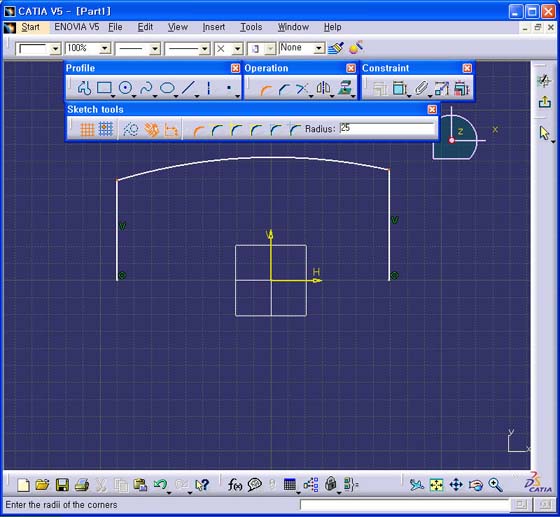
1. 상단의 두 꼭지점을 Multi-Selection(Ctrl Key 사용) 한다.
2. Operation Tools Tool Bar의 Corner 아이콘을 선택 후, Sketch Tools Tool Bar의 Radius 값을 25로 입력 후, Tab Key 를 누른다.